
I Used AI to Create a Full Lookbook in 3 Hours — Here's Exactly What I Did


Let me set the scene. It was a Tuesday morning, and I had a collection ready to shoot, no photographer booked, a budget already stretched, and a deadline not moving.
So I did what I now do whenever a production constraint hits: I opened my laptop and let AI do the heavy lifting. Three hours later, I had a complete lookbook — on-model imagery, styled scenes, a consistent visual narrative — ready to go to my web designer and social team.
This is not a hypothetical. It is not a case study from some brand you have never heard of. This is the exact process I used, step by step, with the tools and prompts I used. I am sharing it because industry data now shows that AI-generated fashion visuals cut content creation time by over 60% while maintaining professional-grade quality — and in my experience, that number is conservative. [1] So read on, my friend, and learn how to create a Full Lookbook in 3 Hours
Here is what three hours of focused AI work actually looks like.

Hour 1 (0:00 – 1:00): Creative direction and copy
Step 1: Define the lookbook narrative with Claude (20 minutes)
Before I touched any image tool, I opened Claude and built the creative brief. This is the step that most designers skip — and it is the reason most AI-generated lookbooks feel generic. If you do not give the AI a clear creative direction, it will give you something technically competent but completely soulless.
I used this prompt:
Prompt — Creative direction brief:
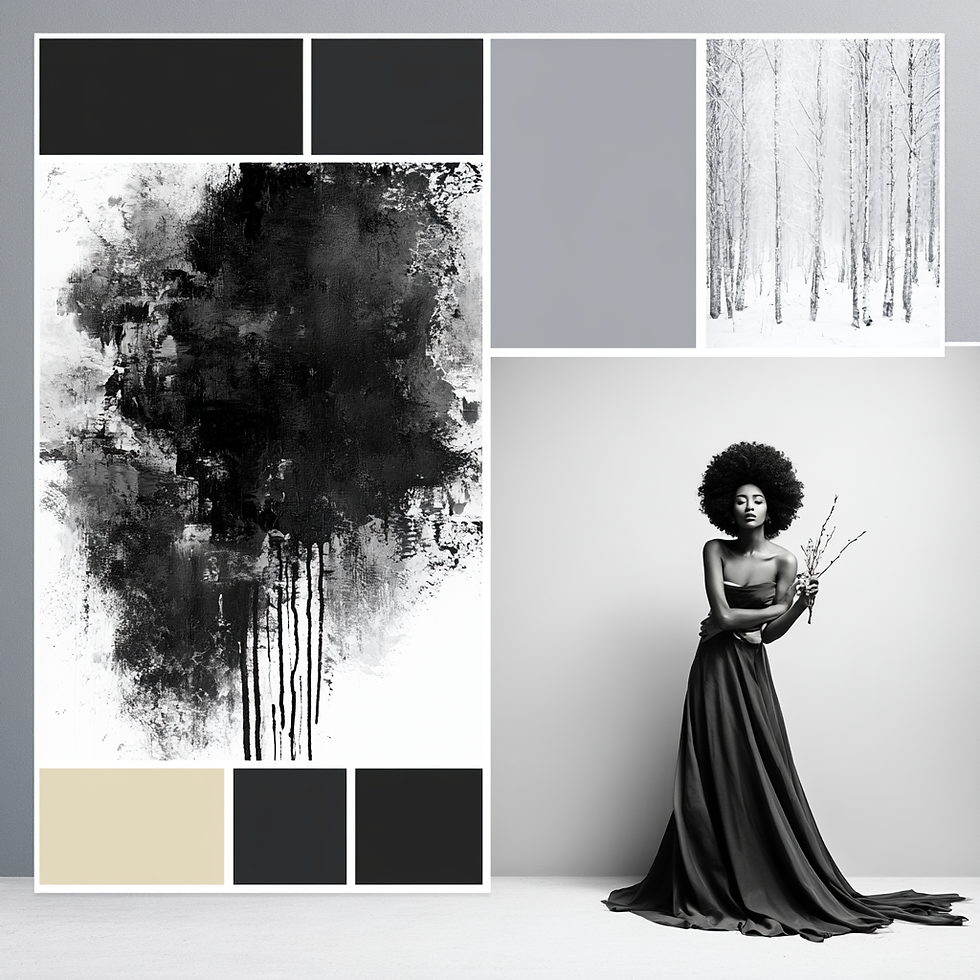
I am creating a lookbook for my [season/collection name] collection. The collection is [describe it: fabrics, silhouettes, color palette, key pieces]. My brand aesthetic is [describe your visual identity]. My target customer is [describe her/him]. I want the lookbook to feel [adjectives: editorial, intimate, cinematic, grounded, etc.]. Give me: a three-sentence narrative for the lookbook; five scene concepts (indoor and outdoor); a color palette for the imagery; suggested model direction and styling notes; and three caption frameworks I can adapt for each look.

Claude gave me a complete creative direction document in under two minutes. I spent the remaining 18 minutes refining it — pushing back on one scene concept that didn't feel right, asking for a darker color palette, tightening the narrative. By the end, I had a creative brief I could actually hand to someone — or feed directly into the next tool.
Step 2: Write the lookbook copy with Claude (20 minutes)
While I was in Claude, I also wrote all the copy: the collection introduction, individual look descriptions, and the social captions. Getting this done before you start generating images means every visual decision you make is informed by the story you are trying to tell.
Prompt — Look at descriptions:
Using the creative direction brief above, write a two-sentence description for each of these [X] looks. Each description should be evocative, not literal — describe the feeling and context of the look, not just the garment. Avoid generic fashion language like 'effortless' or 'chic'. Reference the brand narrative we established.
Twenty minutes. Full lookbook copy, done.
Step 3: Build a shot list (20 minutes)
The last task in hour one was building a structured shot list — because walking into the image generation phase without one is like going to a photoshoot without a call sheet. Things get missed, you waste time, and the final edit lacks cohesion.
Prompt — Shot list:
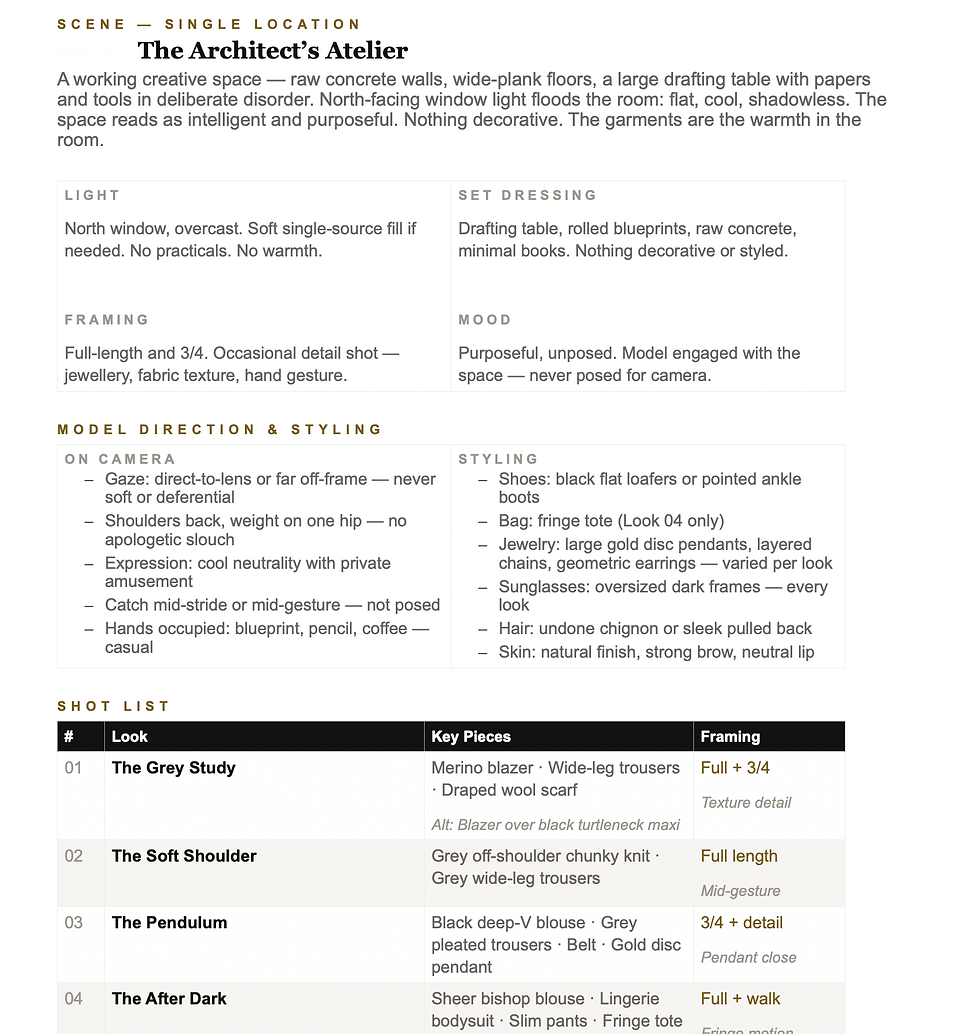
Based on our creative direction and the [X] looks in this collection, give me a shot list. For each look, include: primary shot (full length or three-quarter), detail shot (what to focus on — fabric, hardware, a specific styling element), lifestyle context shot (setting and mood), and the styling notes for each. Format it as a table I can work from.
Claude produced a clean, structured shot list. I printed it. I worked from it for the rest of the session.
Hour 2 (1:00 – 2:00): Image generation
Step 4: Generate on-model imagery with ZMO.ai (45 minutes)
For the on-model shots, I used ZMO.ai. It is purpose-built for fashion — you upload your flat-lay or product image, select a model type from their library (different body shapes, ethnicities, ages), choose a background or scene, and the tool generates photorealistic on-model imagery. For an independent designer, it is a significant leveler.
The economics alone are worth understanding. According to Outfica's 2026 analysis, a traditional on-model shoot producing 60 images runs between $4,800 and $12,000 all-in, including models, photographer, studio, styling, and post-production. Generating the same 60 images using AI costs between $30 and $120. [2] That is not a marginal saving. That is a huge shift in what is possible for a small brand.
My process for each look:
Upload the flat-lay or hanger image of the garment
Select model type based on my brand's target customer and my lookbook's diversity goals
Choose the background scene based on my shot list (studio white for the primary shots, lifestyle scenes for the context shots)
Generate three to four variations and select the strongest
Download and label by look number and shot type
Forty-five images. Forty-five minutes.
Step 5: Generate detail and scene images with The New Black (15 minutes)
For the editorial and detail concepts — the images that give a lookbook its texture and atmosphere beyond the product shots — I used The New Black. You can input text prompts or reference images and generate fashion visuals that match your creative direction. I used it for scene-setting images and a few editorial-style close-ups that gave the lookbook its finishing layer. [3]
At this point, I had a complete bank of imagery. Everything on the shot list was covered.
Hour 3 (2:00 – 3:00): Assembly and finishing
Step 6: Assemble the lookbook layout with Canva (40 minutes)
I used Canva for layout. I have a brand template set up — fonts, colour palette, logo placement — so the assembly process is mostly drag-and-drop with consistent formatting decisions already locked in.
For each spread, I followed the same structure: one hero shot, one detail or lifestyle image, look description copy, and a subtle brand element. Consistency in layout is what makes a lookbook feel considered rather than assembled. When every spread follows the same logic, the viewer moves through it with ease.
If you do not have a Canva template set up for your brand yet, set one up first. It will save you hours across every content project you work on.
Step 7: Final review and export (20 minutes)
The last twenty minutes were for review: checking that model diversity felt right across the full lookbook, making sure the narrative built coherently from the opening look to the closing one, and confirming all the copy was pulling its weight.
I exported two versions: a high-resolution PDF for the web designer and a compressed version formatted for email and social sharing. Done.
What I would do differently next time
A few things I have refined since this first session:
Build the creative brief even more specifically — the more precise you are about aesthetic references and what you want to avoid, the stronger the AI output in both copy and imagery
Use consistent model selections across the full lookbook — I varied my model choices too much in this first run and had to regenerate a few images for visual cohesion
Save every prompt — the prompts that worked well are now templates I reuse and refine for every new collection
The honest caveat
AI-generated imagery is not a replacement for every type of photography. For hero campaign images where fine fabric texture is critical — the weight of a wool coat, the drape of a silk bias cut — traditional photography still holds an edge. Most brands land on a tiered approach: AI for volume content, traditional photography for a small selection of hero assets. World Collective's 2026 analysis of AI design tools puts it well: AI is not replacing human creativity; it is eliminating the tedious, time-consuming tasks that slow it down. [4]
For a lookbook that needs to be live by the end of the week? AI gets you there. For a campaign image that will run across billboards and press? Save the photoshoot budget for that.

Want the full walkthrough — live, with prompts and tool demos?
Module 6 of the IFD Bootcamp covers Midjourney AI content creation for fashion brands, and the other 5 courses give you insights from these experts on how they use AI to support their businesses.
SOURCES
[1] Style3D AI — How to Create a Lookbook with AI for Fashion Marketing Success (2026). https://www.style3d.ai/blog/how-to-create-a-lookbook-with-ai/
[2] Outfica — Fashion Product Photography Cost: Traditional vs AI (April 2026). https://blog.outfica.com/2026/04/16/fashion-product-photography-cost/
[3] WearView — 12 Best AI Tools for Fashion Brands in 2026 (Complete Guide). https://www.wearview.co/blog/12-best-ai-tools-for-fashion-brands-in-2025-complete-guide
[4] World Collective — Top AI Fashion Design Tools for Independent Designers in 2026. https://world-collective.com/blogs/news/top-ai-fashion-design-tools


The mission-driven angle Marcella brings to NYFW is exactly what fashion needs right now—style with substance. I've been digging into how emerging designers can get that same spotlight, and this breakdown is a solid starting point. https://video-to-video-ai.com
The clean structure here felt focused and pleasant, which made each point easier to remember. It felt nicely arranged in every section. koi toto
The mission-driven approach behind Marcella is exactly what fashion needs more of—style with substance. I’ve been digging into how emerging designers can get that same NYFW visibility, and this breakdown is a solid starting point. Check out https://image-to-3d.org
The mission-driven angle is what sets Marcella apart—finally, fashion with real purpose behind the seams. I’ve been digging into how brands like this are redefining NYFW, and the best resource I’ve found is https://kling-motion.com
The mission-driven angle Marcella brings is exactly what fashion week needs more of—style with substance. I’ve been digging into how emerging brands can get that same spotlight, and this breakdown is a solid starting point. https://3mf-to-stl.com